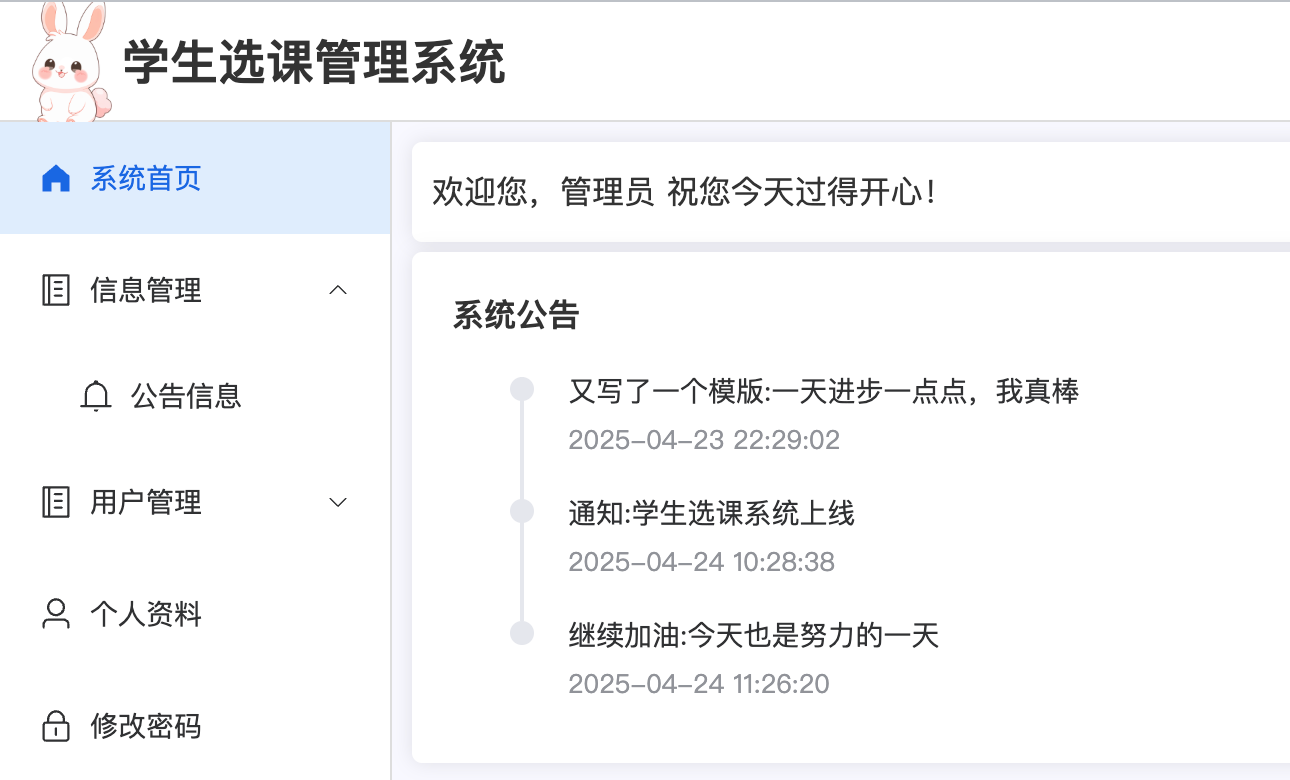
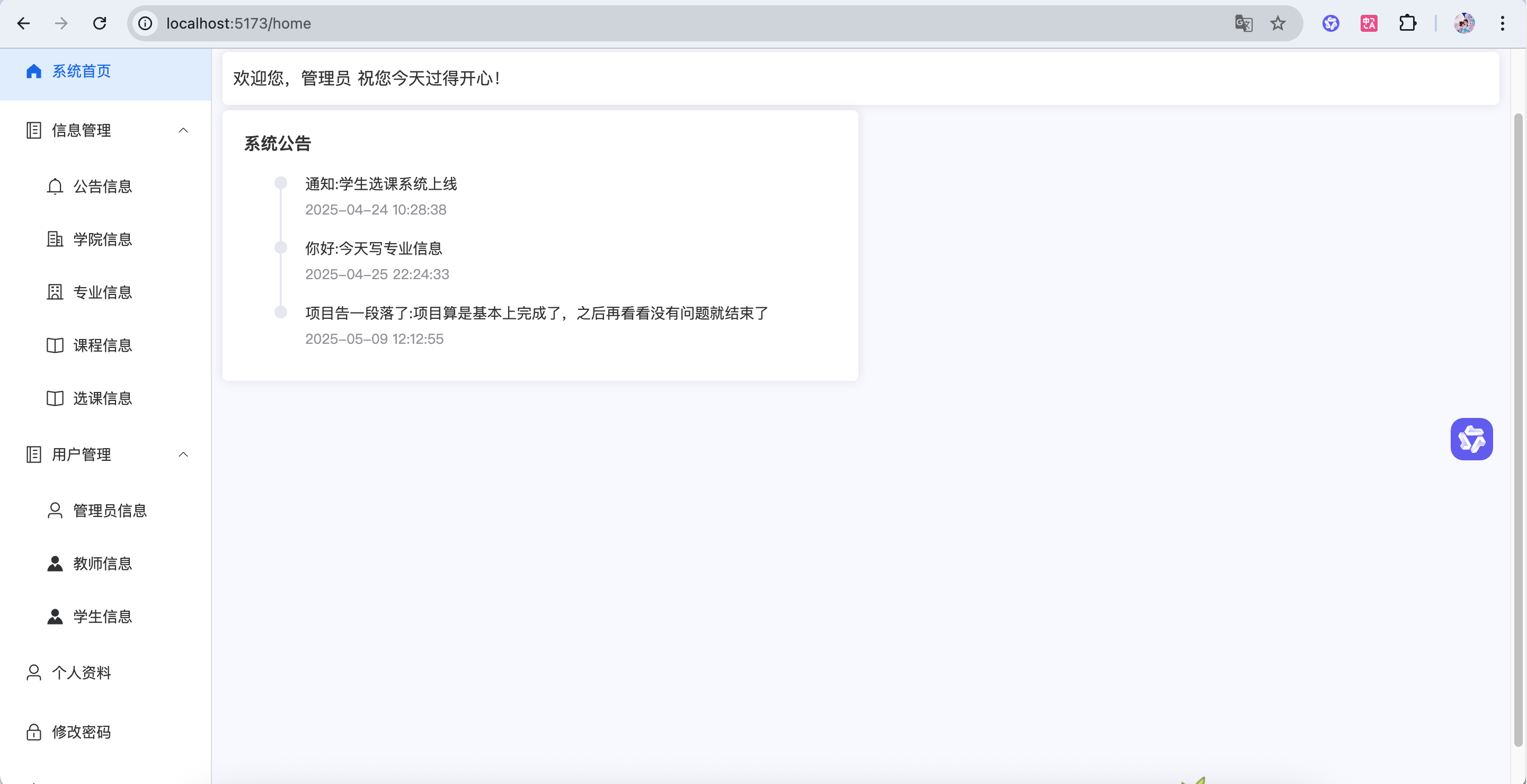
逻辑 前后端交互: 前端通过/notice/开头的接口与后端交互
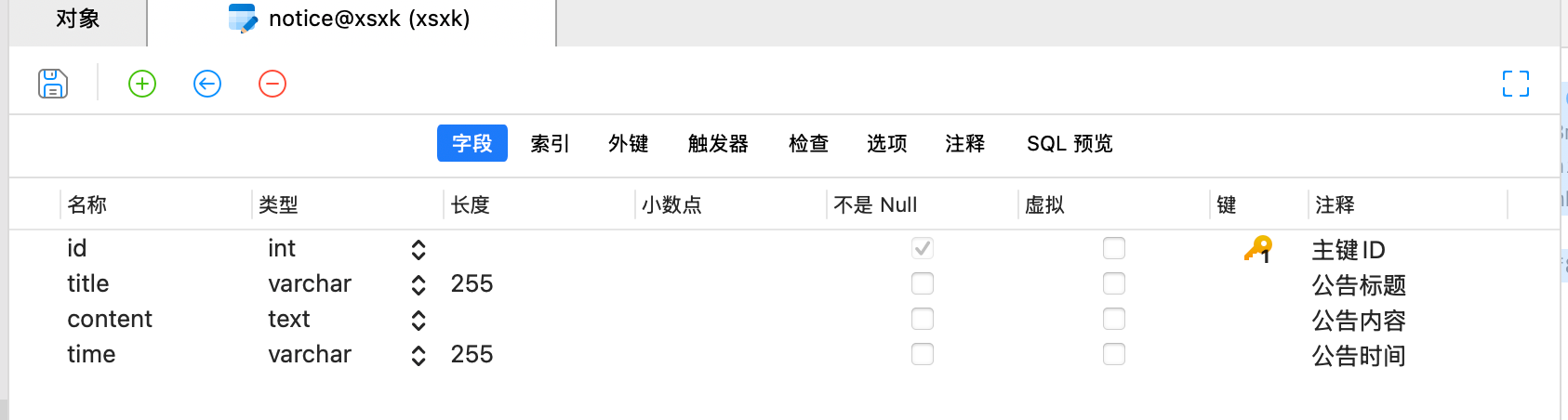
数据结构: 每个公告包含4个基本信息:ID、标题(title)、内容(content)和发布时间(time)
增:管理员可以添加新公告,系统会自动记录发布时间
1.  查看所有公告(按时间倒序显示)
1.  按标题关键词搜索公告
1.  分页查看公告列表
业务流程: 管理员发布公告 → 存入数据库 → 首页自动显示 → 学生/教师登录后即可查看
创建数据库表 1 2 3 4 5 6 7 CREATE TABLE `notice` ( `id` int NOT NULL AUTO_INCREMENT COMMENT '主键ID' , `title` varchar (255 ) COLLATE utf8mb4_unicode_ci DEFAULT NULL COMMENT '公告标题' , `content` text COLLATE utf8mb4_unicode_ci COMMENT '公告内容' , `time ` varchar (255 ) COLLATE utf8mb4_unicode_ci DEFAULT NULL COMMENT '公告时间' , PRIMARY KEY (`id`) ) ENGINE= InnoDB DEFAULT CHARSET= utf8mb4 COLLATE = utf8mb4_unicode_ci COMMENT= '公告信息' ;
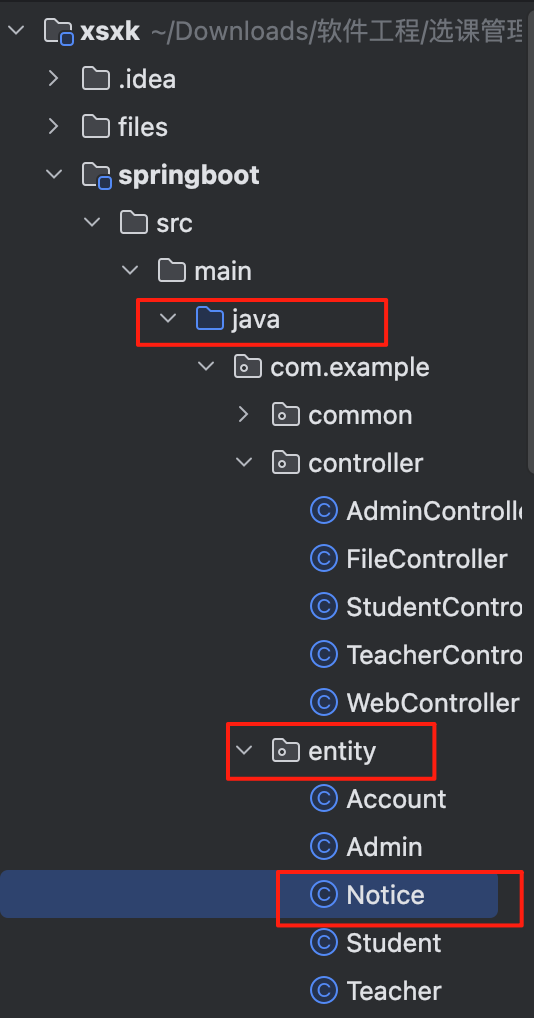
entity—Notice.java 创建实体类
1 2 3 4 5 6 7 8 9 10 11 12 13 14 15 16 17 18 19 20 21 22 23 24 25 26 27 28 29 30 31 32 33 34 35 36 37 38 39 40 package com.example.entity;public class Notice { private Integer id; private String title; private String content; private String time; public Integer getId () { return id; } public void setId (Integer id) { this .id = id; } public String getTitle () { return title; } public void setTitle (String title) { this .title = title; } public String getContent () { return content; } public void setContent (String content) { this .content = content; } public String getTime () { return time; } public void setTime (String time) { this .time = time; } }
前端 Manager.vue 1 2 3 4 5 6 7 8 9 10 11 <el-sub-menu index ="2" > <template #title > <el-icon > <Memo /> </el-icon > <span > 信息管理</span > </template > <el-menu-item index ="/notice" v-if ="data.user.role === 'ADMIN'" > <el-icon > <Bell /> </el-icon > <span > 公告信息</span > </el-menu-item > </el-sub-menu >
配置路由index.js 1 { path : 'notice' , component : () => import ('@/views/manager/Notice.vue' )},
Notice.vue 1 2 3 4 5 6 7 8 9 10 11 12 13 14 15 16 17 18 19 20 21 22 23 24 25 26 27 28 29 30 31 32 33 34 35 36 37 38 39 40 41 42 43 44 45 46 47 48 49 50 51 52 53 54 55 56 57 58 59 60 61 62 63 64 65 66 67 68 69 70 71 72 73 74 75 76 77 78 79 80 81 82 83 84 85 86 87 88 89 90 91 92 93 94 95 96 97 98 99 100 101 102 103 104 105 106 107 108 109 110 111 112 113 114 115 116 117 118 119 120 121 122 123 124 125 126 127 128 129 130 131 132 133 134 135 136 137 138 139 140 141 142 143 144 145 146 <template> <div> <div class="card" style="margin-bottom: 5px;"> <el-input v-model="data.title" style="width: 300px; margin-right: 10px" placeholder="请输入标题查询"></el-input> <el-button type="primary" @click="load">查询</el-button> <el-button type="info" style="margin: 0 10px" @click="reset">重置</el-button> </div> <div class="card" style="margin-bottom: 5px"> <div style="margin-bottom: 10px"> <el-button type="primary" @click="handleAdd">新增</el-button> </div> <el-table :data="data.tableData" stripe> <el-table-column label="公告标题" prop="title"></el-table-column> <el-table-column label="公告内容" prop="content"></el-table-column> <el-table-column label="发布时间" prop="time"></el-table-column> <el-table-column label="操作" align="center" width="160"> <template #default="scope"> <el-button type="primary" @click="handleEdit(scope.row)">编辑</el-button> <el-button type="danger" @click="handleDelete(scope.row.id)">删除</el-button> </template> </el-table-column> </el-table> </div> <div class="card"> <el-pagination background layout="prev, pager, next" v-model:page-size="data.pageSize" v-model:current-page="data.pageNum" :total="data.total"/> </div> <el-dialog title="公告信息" width="40%" v-model="data.formVisible" :close-on-click-modal="false" destroy-on-close> <el-form :model="data.form" label-width="100px" style="padding-right: 50px"> <el-form-item label="公告标题" prop="title"> <el-input v-model="data.form.title" autocomplete="off" /> </el-form-item> <el-form-item label="公告内容" prop="content"> <el-input type="textarea" :rows="4" v-model="data.form.content" autocomplete="off" /> </el-form-item> </el-form> <template #footer> <span class="dialog-footer"> <el-button @click="data.formVisible = false">取 消</el-button> <el-button type="primary" @click="save">保 存</el-button> </span> </template> </el-dialog> </div> </template> <script setup> import request from "@/utils/request"; import {reactive} from "vue"; import {ElMessageBox, ElMessage} from "element-plus"; const data = reactive({ pageNum: 1, pageSize: 10, total: 0, formVisible: false, form: {}, tableData: [], title: null }) // 分页查询 const load = () => { request.get('/notice/selectPage', { params: { pageNum: data.pageNum, pageSize: data.pageSize, title: data.title } }).then(res => { data.tableData = res.data?.list data.total = res.data?.total }) } // 新增 const handleAdd = () => { data.form = {} data.formVisible = true } // 编辑 const handleEdit = (row) => { data.form = JSON.parse(JSON.stringify(row)) data.formVisible = true } // 新增保存 const add = () => { request.post('/notice/add', data.form).then(res => { if (res.code === '200') { load() ElMessage.success('操作成功') data.formVisible = false } else { ElMessage.error(res.msg) } }) } // 编辑保存 const update = () => { request.put('/notice/update', data.form).then(res => { if (res.code === '200') { load() ElMessage.success('操作成功') data.formVisible = false } else { ElMessage.error(res.msg) } }) } // 弹窗保存 const save = () => { // data.form有id就是更新,没有就是新增 data.form.id ? update() : add() } // 删除 const handleDelete = (id) => { ElMessageBox.confirm('删除后数据无法恢复,您确定删除吗?', '删除确认', { type: 'warning' }).then(res => { request.delete('/notice/deleteById//' + id).then(res => { if (res.code === '200') { load() ElMessage.success('操作成功') } else { ElMessage.error(res.msg) } }) }).catch(err => {}) } // 重置 const reset = () => { data.title = null load() } load() </script>
Controller—NoticeController.java 1 2 3 4 5 6 7 8 9 10 11 12 13 14 15 16 17 18 19 20 21 22 23 24 25 26 27 28 29 30 31 32 33 34 35 36 37 38 39 40 41 42 43 44 45 46 47 48 49 50 51 52 53 54 55 56 57 58 59 60 61 62 63 @RestController @RequestMapping("/notice") public class NoticeController { @Resource private NoticeService noticeService; @PostMapping("/add") public Result add (@RequestBody Notice notice) { noticeService.add(notice); return Result.success(); } @PutMapping("/update") public Result update (@RequestBody Notice notice) { noticeService.updateById(notice); return Result.success(); } @DeleteMapping("/deleteById/{id}") public Result deleteById (@PathVariable Integer id) { noticeService.deleteById(id); return Result.success(); } @GetMapping("selectPage") public Result selectPage (Notice notice, @RequestParam(defaultValue = "1") Integer pageNum, @RequestParam(defaultValue = "5") Integer pageSize) { PageInfo<Notice> pageInfo = noticeService.selectPage(notice,pageNum,pageSize); return Result.success(pageInfo); } @GetMapping("/selectAll") public Result selectAll () { List<Notice> list = noticeService.selectAll(); return Result.success(list); } }
Service—NoticeService.java 1 2 3 4 5 6 7 8 9 10 11 12 13 14 15 16 17 18 19 20 21 22 23 24 25 26 27 28 29 30 31 32 33 34 35 36 37 38 39 40 41 42 43 44 45 46 @Service public class NoticeService { @Resource private NoticeMapper noticeMapper; public void add (Notice notice) { notice.setTime(DateUtil.now()); noticeMapper.insert(notice); } public PageInfo<Notice> selectPage (Notice notice,Integer pageNum, Integer pageSize) { List<Notice> list; PageHelper.startPage(pageNum,pageSize); if (ObjectUtil.isNotEmpty(notice.getTitle())){ list = noticeMapper.selectByTitle(notice.getTitle()); }else { list = noticeMapper.selectAll(); } return PageInfo.of(list); } public void updateById (Notice notice) { noticeMapper.updateById(notice); } public void deleteById (Integer id) { noticeMapper.deleteById(id); }
Mapper NoticeMapper.java 1 2 3 4 5 6 7 8 9 10 11 12 13 14 15 16 17 18 19 20 21 import java.util.List;@Mapper public interface NoticeMapper { void insert (Notice notice) ; @Select("select * from notice") List<Notice> selectAll () ; @Select("select * from notice where title like concat('%',#{title},'%')") List<Notice> selectByTitle (String title) ; void updateById (Notice notice) ; @Delete("delete from notice where id = #{id}") void deleteById (Integer id) ; }
NoticeMapper.xml 1 2 3 4 5 6 7 8 9 10 11 12 13 14 15 16 17 <?xml version="1.0" encoding="UTF-8" ?> <!DOCTYPE mapper PUBLIC "-//mybatis.org//DTD Mapper 3.0//EN" "http://mybatis.org/dtd/mybatis-3-mapper.dtd" > <mapper namespace ="com.example.mapper.NoticeMapper" > <insert id ="insert" parameterType ="com.example.entity.Notice" useGeneratedKeys ="true" > insert into notice (title, content, time) values (#{title}, #{content}, #{time}) </insert > <update id ="updateById" parameterType ="com.example.entity.Notice" > update notice set title = #{title}, content = #{content}, time = #{time} where id = #{id} -- 这里的id是实体类中的属性名,不是数据库中的字段名 </update > </mapper >
点击没有反应怎么办?!重点学习 我们要确定的问题是什么?不要慌,是问题总有解决方法不是?!
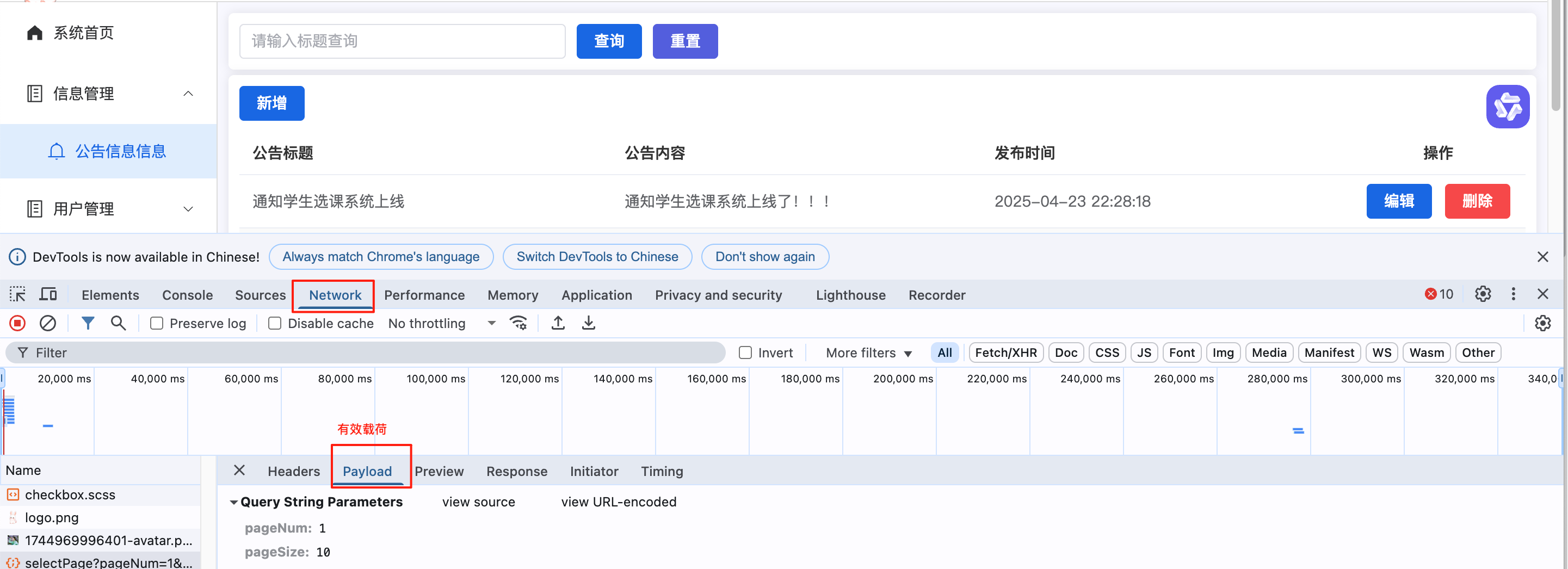
F12打开,看一下网络请求,接口和参数有没有问题
如果都对,再看下后台有没有报错
如果没有,那么就要在后台打个断点,看看具体在什么环节出问题了
比如:
额。。。不仔细公告信息写成公告信息信息了
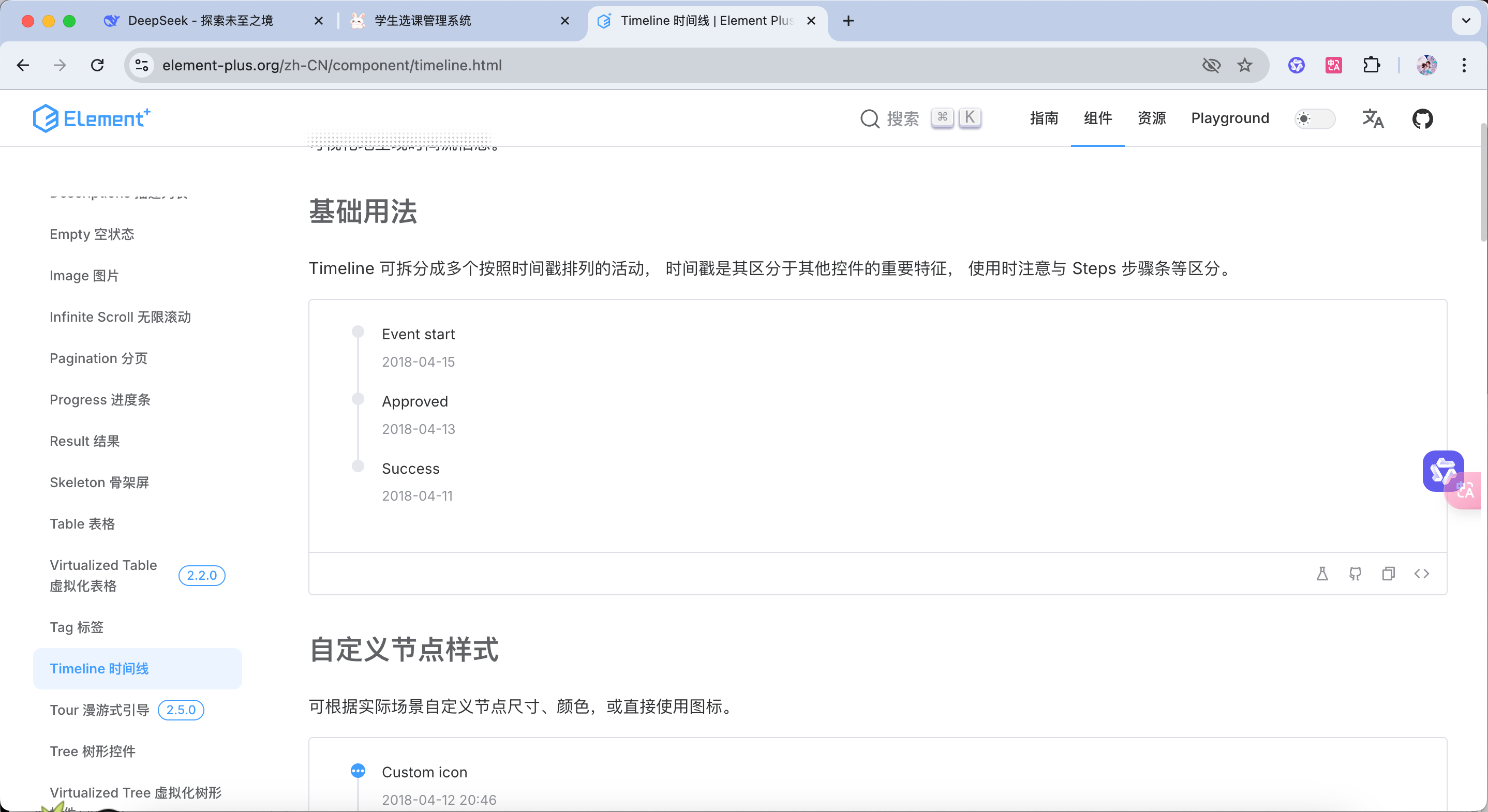
首页渲染 Timeline: https://element-plus.org/zh-CN/component/timeline.html
Home.vue 1 2 3 4 5 6 7 8 9 10 11 12 13 14 15 16 17 18 19 20 21 22 23 24 25 26 27 28 29 30 31 32 33 34 35 36 37 38 39 40 41 42 43 44 45 46 47 48 49 50 51 52 <template> <div> <div class="card" style="line-height: 30px; margin-bottom: 5px"> <div>欢迎您,{{ data.user.name }} 祝您今天过得开心!</div> </div> <!-- 公告信息 --> <div style="display: flex"> <div class="card" style="flex: 50%"> <div style="font-size: 16px; font-weight: bold; padding: 10px 10px 20px">系统公告</div> <!--时间轴--> <el-timeline> <el-timeline-item v-for="(item, index) in data.noticeDate" :key="index" :timestamp="item.time" > <!--时间轴的内容--> {{item.title}}:{{ item.content }} </el-timeline-item> </el-timeline> </div> <div style="flex: 50%;margin-left: 5px"> </div> </div> </div> </template> <script setup> import { reactive } from "vue"; import request from "@/utils/request"; import {ElMessage} from "element-plus"; const data = reactive({ // 用户信息 user: JSON.parse(localStorage.getItem('system-user') || '{}'), // 公告信息 noticeDate: [], }) // 加载公告信息 const loadNotice = () => { request.get('/notice/selectAll').then(res => { if (res.code === '200') { data.noticeDate = res.data }else { ElMessage.error(res.msg) } }) } // 初始化 加载数据 loadNotice() </script>
Controller—NoticeController 1 2 3 4 5 6 7 8 @GetMapping("/selectAll") public Result selectAll () { List<Notice> list = noticeService.selectAll(); return Result.success(list); }
Service—NoticeService.java 1 2 3 4 5 6 public List<Notice> selectAll () { return NoticeMapper.selectAll(); }